Export OPC UA Tags
to CSV
Offline? Drop a NodeSet2 XML file — no live PLC required.
Connect to any OPC UA server or drop a NodeSet2 XML file — OPCUAexport browses the full address space, filters it down to the variable nodes your SCADA needs, and writes a semicolon-delimited CSV with NS1|String address format — tested with Webport, adaptable for most SCADA systems.
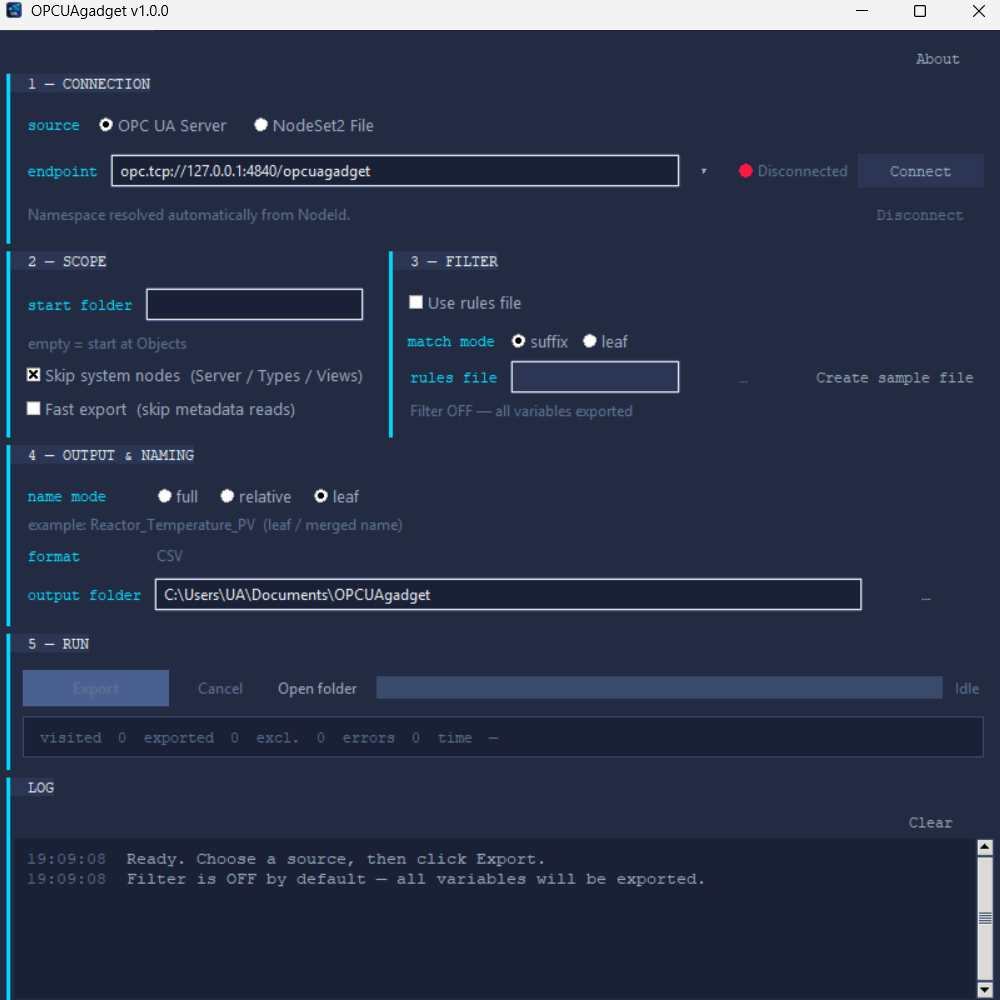
Drop a NodeSet2 XML file
Export tags before commissioning starts — load any NodeSet2 export from TwinCAT, CODESYS, or UA Modeler. Full address-space resolution, no network required. The NodeSet2 to CSV pipeline runs entirely on your Windows machine.
Four steps from endpoint to importable CSV
No scripting, no NodeSet2 parser to maintain, no manual column mapping. Connect or drop a file, filter, export.
Connect
Works fully offline with a NodeSet2 XML file — no live PLC required. Or connect directly to any opc.tcp:// endpoint with anonymous authentication. OPCUAexport is a free OPC UA tag export tool for Windows.
Browse
The app walks the full OPC UA address space. 1 000+ variable nodes load in seconds. Works identically against live servers and NodeSet2 files.
Filter
Built-in name filters narrow the export to the variable nodes your SCADA needs — adjust them to match your naming convention. CODESYS struct members are automatically merged and flattened.
Export
Writes a semicolon-delimited CSV with address in NS1|String|/path/to/variable format. Engineering units, ranges, and data types are preserved.
Actual CSV output — no surprises
Semicolon-separated, UTF-8 — works from both a live OPC UA server and a NodeSet2 XML offline export. The address column uses the AVEVA / Webport NS1|String|/codesys/… format. Full schema documented on the Format page.
name;address;datatype;rawmin;rawmax;engmin;engmax;unit;description;alarmoptions;trendoptions
TT101_PV;NS1|String|/codesys/volatile/pdp/Application/Area_A/TT101_PV;Double;0;150;0;150;°C;
PT201_PV;NS1|String|/codesys/volatile/pdp/Application/Area_A/PT201_PV;Double;0;10;0;10;bar;
FV301_CMD;NS1|String|/codesys/volatile/pdp/Application/Area_B/FV301_CMD;Boolean;;;;;
Tested on Webport. Compatible with the rest.
Webport tag import has been tested end-to-end. Other systems listed here accept the same semicolon-delimited format — verify on your target version before production use.
The CSV covers all core tag fields. Most systems import it directly — some may need minor column mapping for your specific version. Need help with a specific system? support@opcuaexport.com →
Common questions
Four things engineers ask before downloading.
Yes. Drop a NodeSet2 XML file onto the app and OPCUAexport resolves all node references, merges CODESYS struct members, and writes the CSV entirely offline. Useful on air-gapped networks or before commissioning has started.
The CSV includes all the fields a SCADA tag import needs — address in NS1|String|/codesys/volatile/… format, data type, engineering units, and ranges. Most systems import it directly or with minor column adjustments for your specific version. Need help mapping it to your system? support@opcuaexport.com →
Correct. OPCUAexport ships as a single .exe with no installer, no runtime dependency, and no Windows service. Copy it to any folder you have write access to and run it directly. No registry changes, no elevation prompt.
The free (unlicensed) version exports up to 150 variable nodes per CSV. Browsing and filtering are unlimited. A full license is free to request until 2026-12-31 — see the License page for the activation key. From 2027: paid tiers from €99/year — see the License page for details.
More questions? Full FAQ →
Free until end of 2026
Full license key on the License page — no email required. No key? Browse and filter freely, export up to 150 tags. Paid tiers launch from 2027.
- Unlimited tag export
- Key available now, no email
- Valid until 2026-12-31
Planning ahead? Let us know and we’ll notify you when paid tiers launch.